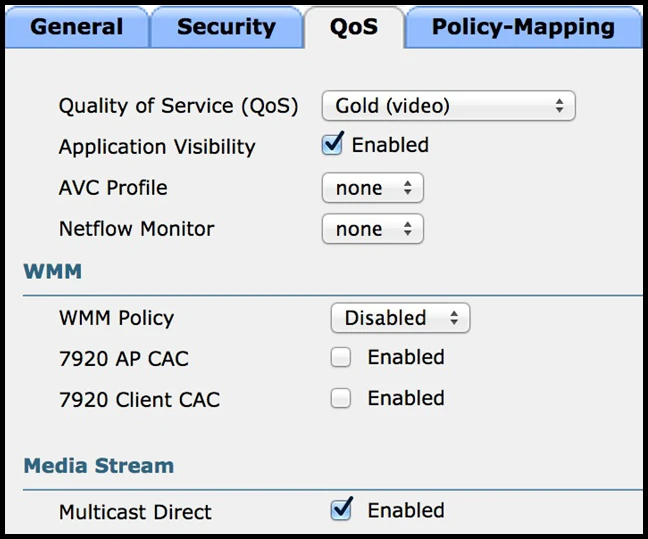
The suggested answer is A.
To allow for connectivity at IEEE 802.11n rates, WMM (Wi-Fi Multimedia) must be enabled. WMM is essential for obtaining 802.11n and 802.11ac data rates because it manages quality of service (QoS) by prioritizing voice, video, and data packets, and reducing Interframe Spacing for high-priority packets. With WMM disabled, the maximum data rate would be limited to 54 Mbps, which is below the IEEE 802.11n standard. Therefore, setting WMM mode to Optional or Required is the correct option to enable higher data rates.