Question 6 of 76
HOTSPOT -
You have an Azure subscription named Subscription1.
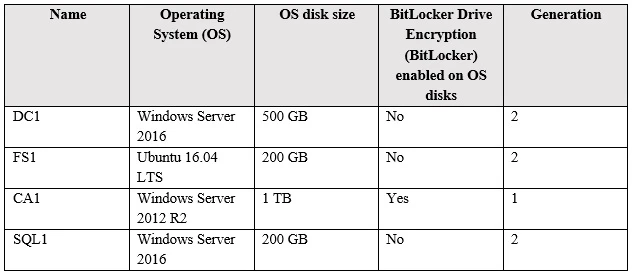
You have a virtualization environment that contains the virtualization servers in the following table.

Exam AZ-102: Question 6 - Image 1
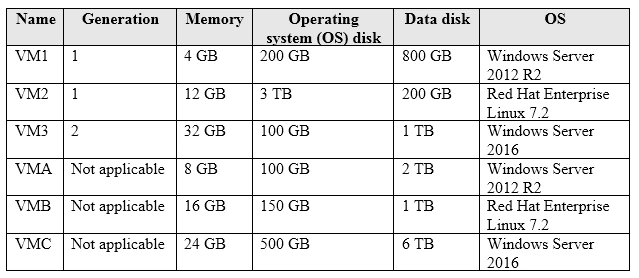
The virtual machines are configured as shown in the following table.
Exam AZ-102: Question 6 - Image 2
All the virtual machines use basic disks. VM1 is protected by using BitLocker Drive Encryption (BitLocker).
You plan to use Azure Site Recovery to migrate the virtual machines to Azure.
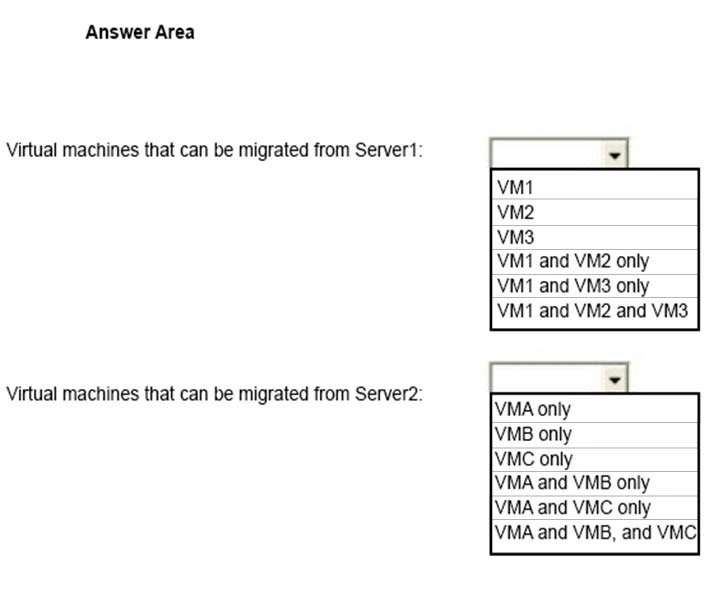
Which virtual machines can you migrate? To answer, select the appropriate options in the answer area.
NOTE: Each correct selection is worth one point.
Hot Area:
Exam AZ-102: Question 6 - Image 3
Correct Answer:
Box 1: VM3 -
Not VM1 as Bitlocker is not supported. BitLocker must be disabled before you enable replication for a VM.
Not VM2 as maximum Operating system disk size for a generation VM is 2,048 GB.

Box 2: VMA and VMB only -
Not VMC as the max data disk size is 4,095 GB
References:
https://docs.microsoft.com/en-us/azure/site-recovery/hyper-v-azure-support-matrix https://docs.microsoft.com/en-us/azure/site-recovery/vmware-physical-azure-support-matrix#azure-vm-requirements Exam AZ-102: Question 6 - Image 4
Question 7 of 76
Your company has an Azure subscription named Subscription1.
The company also has two on-premises servers named Server1 and Server2 that run Windows Server 2016. Server1 is configured as a DNS server that has a primary DNS zone named adatum.com. Adatum.com contains 1,000 DNS records.
You manage Server1 and Subscription1 from Server2. Server2 has the following tools installed:
✑ The DNS Manager console
✑ Azure PowerShell
✑ Azure CLI 2.0
You need to move the adatum.com zone to Subscription1. The solution must minimize administrative effort.
What should you use?
Correct Answer: D

Question 8 of 76
DRAG DROP -
You have an Azure Active Directory (Azure AD) tenant that has the initial domain name.
You have a domain name of contoso.com registered at a third-party registrar.
You need to ensure that you can create Azure AD users that have names containing a suffix of @contoso.com.
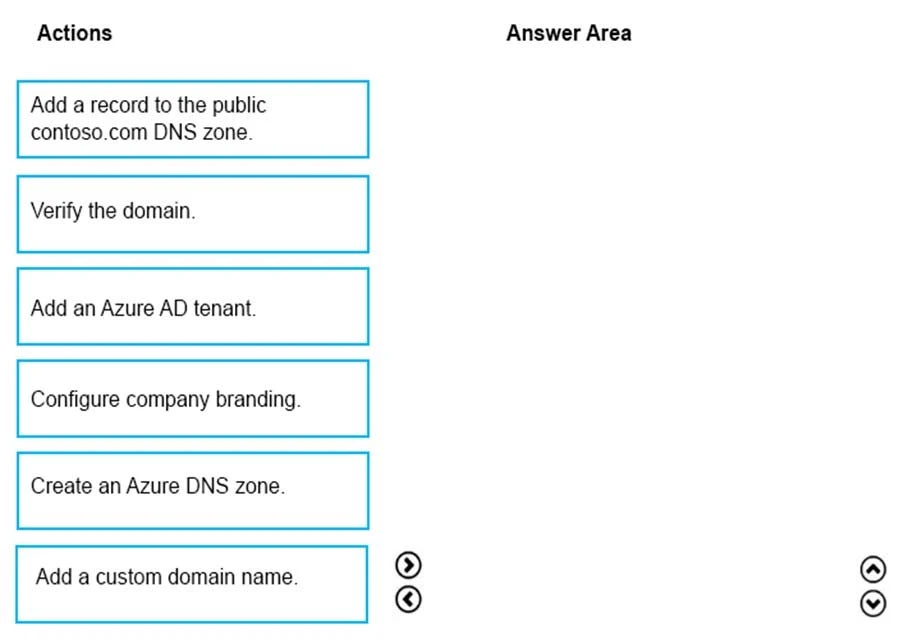
Which three actions should you perform in sequence? To answer, move the appropriate cmdlets from the list of cmdlets to the answer area and arrange them in the correct order.
Select and Place:
Exam AZ-102: Question 8 - Image 1
Correct Answer:
The process is simple:
1. Add the custom domain name to your directory
2. Add a DNS entry for the domain name at the domain name registrar
3. Verify the custom domain name in Azure AD
References:
https://docs.microsoft.com/en-us/azure/dns/dns-web-sites-custom-domain Exam AZ-102: Question 8 - Image 2
Question 9 of 76
You plan to migrate an on-premises Hyper-V environment to Azure by using Azure Site Recovery. The Hyper-V environment is managed by using Microsoft
System Center Virtual Machine Manager (VMM).
The Hyper-V environment contains the virtual machines in the following table.
Exam AZ-102: Question 9 - Image 1
Which virtual machine can be migrated by using Azure Site Recovery?
Correct Answer: B

Question 10 of 76
DRAG DROP -
You have an Azure subscription that contains the following resources:
✑ a virtual network named VNet1
✑ a replication policy named ReplPolicy1
✑ a Recovery Services vault named Vault1
✑ an Azure Storage account named Storage1
You have an Amazon Web Services (AWS) EC2 virtual machine named VM1 that runs Windows Server 2016.
You need to migrate VM1 to VNet1 by using Azure Site Recovery.
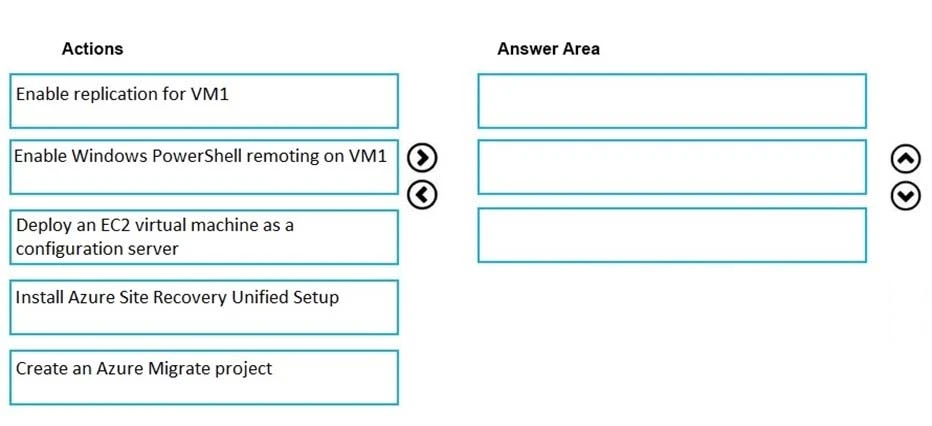
Which three actions should you perform in sequence? To answer, move the appropriate actions from the list of actions to the answer area and arrange them in the correct order.
Select and Place:
Exam AZ-102: Question 10 - Image 1
Correct Answer:
Step 1: Deploy an EC2 virtual machine as a configuration server
Use an EC2 instance that's running Windows Server 2012 R2 to create a configuration server and register it with your recovery vault.
Step 2: Install Azure Site Recovery Unified Setup
Download Microsoft Azure Site Recovery Unified Setup and install it on the VM.
Step 3: Enable replication for each VM that you want to migrate.
References:
https://docs.microsoft.com/en-us/azure/site-recovery/migrate-tutorial-aws-azure Exam AZ-102: Question 10 - Image 2